Showing posts with label Linux hardware. Show all posts

Wednesday, 13 March 2013

Mengatasi hardisk external rusak/tidak bisa dibaca

Meskipun hardisk sekarang sudah mempunyai rating G yang tinggi, kebiasaan membawa hardisk external menjadikan kemungkinan hardisk eror karena jarum pembacanya bergeser. Kemungkinan eror menjadi makin besar kalau kita tidak hati-hati dengan proses unmount atau "safely remove hardware".

Di Linux, ada beberapa paket/package/aplikasi/software gratis yang bisa digunakan. Salah satunya yang baru diuji adalah testdisk. Penggunaannya sederhana:

Cek dulu, hardisknya ada dimana:
$ sudo fdisk -l
...
Disk /dev/sdd: 250.1 GB, 250059349504 bytes
255 heads, 63 sectors/track, 30401 cylinders
Units = cylinders of 16065 * 512 = 8225280 bytes
Sector size (logical/physical): 512 bytes / 512 bytes
I/O size (minimum/optimal): 512 bytes / 512 bytes
Disk identifier: 0xee940e99
Device Boot      Start         End      Blocks   Id  System
/dev/sdd1               1       15210   122174293+   7  HPFS/NTFS
/dev/sdd2           15211       30401   122021707+   7  HPFS/NTFS

Diatas terlihat ada hardisk eksternal yang lokasinya di /dev/sdd dengan 2 partisi, yaitu sdd1 dan sdd2.

Untuk mengetes, sedikit lebih mudah :-)

$ sudo testdisk /dev/sdd1

Setelah itu, tinggal next, next, next (di terminal) ;-)

Kalau sudah beres, akan keluar di prompt lagi:

TestDisk 6.11, Data Recovery Utility, April 2009
Christophe GRENIER <grenier@cgsecurity.org>
http://www.cgsecurity.org
TestDisk exited normally.

Ulangi untuk partisi 2
$ sudo testdisk /dev/sdd2

Jangan lupa bilang ke yang punya hardisk, ongkosnya Rp. 1/kb :-D

Tuesday, 5 March 2013

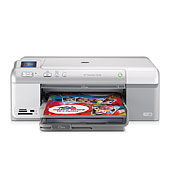
HP Photosmart D5460 cleaning on Linux

I had problem with print quality with HP Photosmart D5460 on Debian Squeeze. I just follow the steps in the link below and it is well understood by the printer.

http://h10025.www1.hp.com/ewfrf/wc/document?docname=c01467277&cc=ca&dlc=en&lc=en&product=3396080&tmp_track_link=ot_search

To note, find something related to "color correction image" to compare the result with the image on scree. It might not be perfectly match, but is normal for a non high end publishing class printer.

Saturday, 2 March 2013

Mengatasi perintah sudo yang tidak berfungsi

caranya
  1. restart komputer
  2. kemudian masuk ke recovery (nomor 2 dalam listing grub)
  3. pilih root
  4. ketik perintah seperti dibawah ini
# visudo
atau
# nano /etc/sudoers

cari yang ada kaitanya dengan:
root    ALL=(ALL:ALL) ALL

jika sudah ketemu, dibawah tambahkan atau katik user yang dimaksud seperti contoh dibawah ini.
paijo   ALL=(ALL:ALL) ALL

lalu simpan dengan dengan menekan tombol ctrl + x => lalu pilih huruf Y untuk menyimpan (enter)

Bila visudo menghasilkan error:
visudo : etc/sudoers : read only file system
atau
dalam penyimpanan muncul seperti ini
read only file system
kemungkinan hardisk bermasalah

Cara lain yang adalah dengan menyalakan fitur root. Caranya:
masuk ke root lewat recovery mode (urutan 1 s/d 3 diatas):
ganti password di prompt root:

# passwd
new UNIX password: 

Retype new UNIX password: 

Setelah reboot, kita akan bisa masuk sebagai root tanpa melalui sudo

paijo@paijo-desktop:~$ su
Password:
paijo@paijo-desktop:~#

Jika dengan cara seperti diatas masih juga tidak bisa, misalnya sering muncul "read only file system", maka dapat di pastikan hardisk/controller hardisk mengalami kerusakan. Kacian deh ...

Wednesday, 29 August 2012

Best lightweight browser

Links2 text based browser running on graphic mode
Sometimes, even with EVDO connection promised to be 3.1 MBPS, connection can be slower than CDMA1x. A normal EVDO can averagely be 80 kbps download in most place. It should be more than 300 kbps, but I never find the right spot. Maybe inside the provider's office, very near to the tower antenna, but outside, with so many customers and weaker signal, information can be so much expensive.

Bagaimana menyiasati internet lambat tapi tetap bisa menikmati informasi lewat browser? Ya dengan browser yang hanya mengambil bagian terbesar informasi yang kata Alquran dalam bentuk tertulis (teks). Di dunia Linux, ini teknologi lama yang terus dijaga dan dikembangkan. Diantara browser yang didesain untuk keperluan ini adalah elinks, links2, lynx, netrik, w3m, wikipedia2text (dengan kerjasama dengan salah satu text browser sebelumnya), dan ... (nggak perlu diceritakan lagi, yaitu) (x)emacs.

elinks, links2, lynx, netrik, w3m hampir sama. Mereka adalah platform yang sempurna untuk text browsing termasuk untuk digunakan bersama wikipedia2text. w3m mempunyai fitur table/frame sehingga webpage nyaris mirip aslinya kecuali semuanya berupa teks. netrik mempunyai rencana fitur lebih banyak lagi.

Sedikit lebih boros dan keluar dari terminal adalah links2. Links2 mempunyai versi grafis yang mampu menampilkan gambar jpeg. Untuk membaca gmail yang kaya Javascript, kita bisa masuk ke modul html-nya gmail. Maka sebagian buesar informasi di email akan terbaca.

Kalau tidak bisa hidup melulu dengan teks, uzbl dan dillo benar-benar hidup diluar terminal. Berbeda dengan browser biasa, keduanya ringan karena cita-citanya memang hanya mengambil informasi dasar sebuah web page.

Diantara browser modern, Midori cukup cepat, tapi dengan kemampuan java script, cookies, flash, dll ya ... sudah keluar dari konsep awal untuk hanya mendownload informasi utama yang berupa teks, kalau nambah ya sedikit style seperti tabel atau frame..

Sunday, 29 July 2012

perbandingan 2 modem evdo SkyBee (flexi) & AirFlash (esia)

Dapet pinjeman modem SkyBee CDMA 1x EVDO (Flexi Bingo) dengan AHAmyTV (Esia Max-D), jadi nyempetin bikin perbandingan menggunakan simcard esia max-d (3.1 MB).

Keliatan bahwa modem SkyBee bekas hanya nembus kecepatan CDMA 1x normal, sama seperti menggunakan HP Nokia 2228 jadul.

Jadi pengen ngetes make wajanbolic.

enviromatics@swampthink ~ $ !340
wget -O /dev/null - http://cachefly.cachefly.net/100mb.test
--2012-07-29 10:29:33-- http://-/
Resolving - (-)... failed: Name or service not known.
wget: unable to resolve host address `-'
--2012-07-29 10:29:33-- http://cachefly.cachefly.net/100mb.test
Resolving cachefly.cachefly.net (cachefly.cachefly.net)... 205.234.175.175
Connecting to cachefly.cachefly.net (cachefly.cachefly.net)|205.234.175.175|:80... connected.
HTTP request sent, awaiting response... 200 OK
Length: 104857600 (100M) [application/octet-stream]
Saving to: `/dev/null'

0% [ ] 891,395 14.9K/s eta 1h 59m

^C
enviromatics@swampthink ~ $ wget -O /dev/null - http://cachefly.cachefly.net/100mb.test
--2012-07-29 10:33:02-- http://-/
Resolving - (-)... failed: Name or service not known.
wget: unable to resolve host address `-'
--2012-07-29 10:33:02-- http://cachefly.cachefly.net/100mb.test
Resolving cachefly.cachefly.net (cachefly.cachefly.net)... 205.234.175.175
Connecting to cachefly.cachefly.net (cachefly.cachefly.net)|205.234.175.175|:80... connected.
HTTP request sent, awaiting response... 200 OK
Length: 104857600 (100M) [application/octet-stream]
Saving to: `/dev/null'

1% [> ] 1,359,995 96.6K/s eta 17m 21s

^C
enviromatics@swampthink ~ $

Tuesday, 17 July 2012

AHAmytv (AirFlash AH007)

Barusan dapet kiriman modem esia max-d lewat layanan pesan antar. Kalau nanya mbak yg di sebrang telpon, pastinya yg dikirim adalah AHAmyTV karena ada deskripsi jalan di Linux. Tapi saya yakin kin kalau yang lain juga jalan di Linux karena ada deklarasi jalan di Mac OSX.
Hampir semua modem sekarang punya chip yang cukup buat nyimpen driver. Buat pabrik, ini ngirit karena nggak perlu nyetak CD untuk driver. Permasalahannya, oleh OS (apa saja),  modem model begini dikenali sebagai USB storage. Hanya setelah 'driver'nya dipasang, maka OS akan membuka USB sebagai modem. Ini prinsip yang diceritain sama pengarangnya usb-modeswitch.

Dari keterangan di forum Ubuntu-id, ada cara lain yang lebih sederhana. Intinya, modemnya di unmount dengan perintah eject lalu dipanggil kembali dengan perintah wvdial

$ sudo eject /dev/sr1
$ sudo wvdial

Berikut ini keterangan detilnya. 
(Catatan: Keterangan di forum tersebut menggunakan Ubuntu Lucid, sedang eksperimen saya menggunakan Debian Squeeze (stable) dan Linux Mint LMDE (unstable), jadi lebih baru kernelnya. Akibatnya, step 3 di reference no. 2 (modprobe) tidak perlu.)

$ lsusb
Bus 006 Device 011: ID 05c6:1000 Qualcomm, Inc. Mass Storage Device

$ dmesg | tail
[ 5582.506293] scsi12 : usb-storage 6-1:1.0
[ 5583.508767] scsi 12:0:0:0: CD-ROM OEM AF-AirFlash 2.31 PQ: 0 ANSI: 0
[ 5583.515739] sr0: scsi3-mmc drive: 0x/0x caddy
[ 5583.516099] sr 12:0:0:0: Attached scsi CD-ROM sr0

$ sudo eject /dev/sr0
(lampu hijaunya ngedip)

$ lsusb
Bus 006 Device 012: ID 05c6:6000 Qualcomm, Inc. Siemens SG75

$ sudo wvdialconf
Found a modem on /dev/ttyUSB0.
Modem configuration written to /etc/wvdial.conf.
ttyUSB0<Info>: Speed 9600; init "ATQ0 V1 E1 S0=0 &C1 &D2 +FCLASS=0"
ttyUSB1<Info>: Speed 9600; init "ATQ0 V1 E1 S0=0 &C1 &D2 +FCLASS=0"

$ sudo nano /etc/wvdial.conf
edit login dan password

$ sudo wvdial

--> Using interface ppp0
--> pppd: `H[17][08]HL[17][08]
--> local  IP address 10.70.76.207
--> pppd: `H[17][08]HL[17][08]
--> remote IP address 172.19.129.96
--> pppd: `H[17][08]HL[17][08]
--> primary   DNS address 10.8.15.15
--> pppd: `H[17][08]HL[17][08]
--> secondary DNS address 10.8.17.4
--> pppd: `H[17][08]HL[17][08]


Segmentation fault berulang-ulang

Tanya:

Om, iki kiro2 keno opo ya om..?? software-e dadi rusak...
IT-ku juga bingung... durung tau ngene soale...
pliisss....
aq sih mau dkirimi iki sekadar laporanku tok, tapi aq jg ra ngerti iki knp, dadi aku takon om wae..hhehe...

Jawab

Ketoke hardwaremu 'malih'.
Ubuntu yen kakehan diutak-atik kadang dadi ra stabil. Soale pancen asale saka branch Debian Testing + Unstable. Nggo logika kuwi, LinuxMint ning laptop uga padha. Aku nganggo LMDE (Debian Testing). Kadang di
$ apt-get update && apt-get dist-upgrade 
isa normal maneh.
Ning yen pengen stabil, bar install aja kakehan diutak atik. Aplikasi anyar dipasang ning "/opt" wae. Yen ning kantor, aku nganggo Debian stable. Aplikasine sering 'telat', ning ora pegel ngurusi komputer crash.
Yen arep install ulang (resolusi paling gampang, timbang debugging), jo lali backup "/home" karo "/etc".

Thursday, 10 November 2011

HP Photosmart D5460 driver

Update to this report that just works:
$ sudo apt-get install hpijs

Add printer on http://localhost:631/, use the driver hpijs 3.10.6, not 3.12.
Insya Allah, ok.

Sunday, 23 October 2011

Flashdisk 16 GB nggak bisa ditulisi

Saya nggak bisa nulis di flashdisk.
Dari list, sudah benar bahwa saya bisa nulis (rwx)

$ ls -l /media/
total 48
drwx------ 24 budi budi 32768 1970-01-01 07:00 BUDI
lrwxrwxrwx 1 root root 6 2011-05-03 19:52 cdrom -> cdrom0
drwxr-xr-x 2 root root 4096 2009-07-17 22:07 cdrom0
drwxrwxr-x 2 root root 4096 2010-04-01 17:26 DATA
lrwxrwxrwx 1 root root 7 2011-05-03 19:52 floppy -> floppy0
drwxr-xr-x 2 root root 4096 2009-07-17 22:07 floppy0
drwxr-xr-x 2 root root 4096 2010-04-13 14:17 windows

Kalau mbikin file baru, ternyata Read Only file system:
$ touch /media/BUDI/testingz
touch: cannot touch `/media/BUDI 16GB K/testingz': Read-only file system

Solusinya adalah (kecuali hardwarenya nggak stabil karena 16GB) adalah dengan format ulang:

$ sudo umount /media/BUDI
budi@pucung:~$ sudo fdisk -l
Disk /dev/sdb: 16.0 GB, 16047407104 bytes
94 heads, 30 sectors/track, 11114 cylinders
Units = cylinders of 2820 * 512 = 1443840 bytes
Sector size (logical/physical): 512 bytes / 512 bytes
I/O size (minimum/optimal): 512 bytes / 512 bytes
Disk identifier: 0xc3072e18

Device Boot Start End Blocks Id System
/dev/sdb1 3 11115 15667264 c W95 FAT32 (LBA)

budi@pucung:~$ sudo fdisk /dev/sdb

hapus partisi 1, keluar setelah write, masuk fdisk lagi (sekedar biar yakin), bikin partisi 1 sebagai vfat (kodenya 0B). Kalau mau gampang, gunakan cfdisk atau gparted (?)

Format partisi 1 sebagai vfat:
$ sudo mkfs.vfat /dev/sdb1
mkfs.vfat 3.0.7 (24 Dec 2009)

Copot flashdisk dan pasang lagi.

Wednesday, 21 September 2011

Penguat sinyal GSM/Wifi/CDMA

Aku mikir arep tuku antena yagi (antena tivi biasa) sing regane kira2 200k. ning bareng tak elang-eling tutorial ning internet tmsk video ben gampang, ketoke mending eksperimen dhewe. teori nggo itung2an ana, ning sing paling asoy yo eksperimen ra sah kakehan itungan.

iki ana link nggo muk biskuit http://www.dxzone.com/cgi-bin/dir/jump2.cgi?ID=12595. metodene dudu yagi, ning wave driven utawa ember-bolic. isa uga, ember (kaleng, dudu plastik) diganti wajan utawa tutup panci. Om arifin wis njajal, ta. sing penting, modeme dilebokke muk, digeser maju mundur nganti sinyale apik. mengko yen wis manteb-teb, dilem utawa tialirke nganggo kabel ning modem.

Yen aku, arep njajal nggo aluminium foil dibentuk 1/2 kaleng, dicedakke laptop. Kari ngecek sinyal ning laptop ana pira.

Yen arep luwih detil, apt-get search antenna. Ana akeh aplikasi sing kena nggo ngetung rumus antena karo ngetes sinyal. Ning yen aku, balik maneh, sing penting eksperimen. Ra kakehan mumet!

Sugeng experimen.

Sunday, 8 May 2011

Nokia 9300 and Linux

In my Linux hardware tag entitled Evolusi gadget, I wrote that a final gadget should be those relied on Google Android. Well, this seems ultimately true, but Android implementation in market today rely much on touch pad/screen which is not as fast as normal e.g. N9300 keyboard. This is a drawback when we wish a gadget as a scratch pad, while away from desktop/laptop.
This brings my desire back to N9300 for its morphology and size. About compatibility, it seems a hack to N9300 cdb database must fill the need for Contact export/import to any Linux PIM software. Others is on search.

That's my note for the weekend, while the children is sleeping.

Other method is using SyncML. But it seems Nokia 9300 is not very much supported even though it is listed. The truthful service probably is Ubuntu One. It says only contact can be synced.

Wednesday, 25 August 2010

Review Modem CDMA vs HSDPA

Kemaren, waktu presentasi ada yang lucu di kantor Trubus.

Waktu itu, mencoba koneksi dengan kabel. Koneksi sih gampang, tapi karena lambat, ganti menggunakan modem HSDPA Huawei dengan layanan Indosat. Saya langsung buka beberapa tab. Karena lama belum kebuka, dikomentarin “kebanyakan bukanya, mas. Mestinya 2 tab saja”. Ok, saya ngikut. Ternyata nggak kebuka-buka juga. Akhirnya saya copot, ganti modem CDMA 1x dari merek yang sama. Ternyata dengan koneksi Flexi lebih bagus dan segera membuka beberapa tab dan saya tambah terus. Memang, kalau siang agak lemot. Malam juga downloadnya paling kenceng 30-an kbps. Seringnya dibawah 10 kbps.

Namanya Pleki (nama generic guk-guk dalam bahasa jawa), larinya lebih kenceng (atau stabil?) ketimbang HSDPA. Kok bisa, ya? Mungkin jalur Pleki dinaikin sedikit penumpang, sedang yang 3.5 G penumpangnya berjubel, bergelayutan kayak metromini …

---

dikopi-paste dari/untuk link lengkap silahkan mampir ke Review Modem CDMA vs HSDPA

Tuesday, 27 July 2010

Googleearth on HP Proliant ML110

Giving up on Matrox Card. It's a server anyway. Not a development machine.
The failure is not because of proxy setting.

Sunday, 25 April 2010

CD Label with HP Photocmart D5460

The basics is on HP site here:
How to print on CD/DVD
But I don't think the steps are necessary when using openoffice.org (draw):
  1. Just create a page of 5"x5" as mentioned for the printable area
  2. Insert your (jpeg) image accordingly
  3. File > Print > Properties
  4. Change paper size and paper tray to be with CD/DVD
  5. Give a try and correct
There are some openoffice template around but I suppose to try your own. It's not that complicated, though.

Thursday, 21 January 2010

Ponsel Linux

Just got this link for

  • Linux on Mobiles - http://www.linuxfordevices.com/c/a/Linux-For-Devices-Articles/Linux-Mobile-Phones/
  • Embedded Linux - http://en.wikipedia.org/wiki/Embedded_Linux
  • LiMo - http://www.limofoundation.org/solutions/index.php
  • And things about Mobile Linux - http://www.linuxfoundation.org/collaborate/workgroups/mobile-linux

Wednesday, 20 January 2010

Samsung CLP 300N

OOps, seems I failed to note things about My new Samsung CLP300N printer.
Well, the CD contain driver that is old enough to work with Debian 5 Lenny, but Samsung support told the CLP310 driver (unified driver, actually) works fine. However, I can not find the printer to accept custom size paper. Card stock is accepted.

foo2 driver also work, but the paper size end similar.

http://donaldkenney.110mb.com/LPRINTER.HTM wrote there is another driver namely SPLIX (http://splix.ap2c.org/), but I haven't got chance to try it.

Sunday, 15 November 2009

Asus EAX 1300 (RV370)

$ lspci
04:00.0 VGA compatible controller: ATI Technologies Inc RV370 5B60 [Radeon X300 (PCIE)]

Hardware tests and comments:
http://hardware4linux.info/type/5/
3D never be perfect
Suggest: dump this card, if you have chance for other stuff

Google search:
rv370 debian

Do:
$ sudo dpkg-reconfigure -phigh xserver-xorg
$ nano /etc/X11/xorg.conf
to contain Options at result below.

Result:
  1. fglrx driver ($ sudo aticonfig) freeze the system
  2. radeon is working (but not radeonhd), below are Option for 3D (http://www.linuxquestions.org/questions/debian-26/finally-got-3d-in-debian-lenny-with-a-radeon-9000-639869/?highlight=ati+radeon+lenny):
Section "Device"
Identifier "Configured Video Device"
Driver "radeon"
Option "XAANoOffscreenPixmaps"
Option "RenderAccel" "true"
Option "AGPFastWrite" "true"
Option "VBERestore" "true"
Option "AddARGBGLXVisuals" "true"
Option "EnablePageFlip" "true"
Option "AccelMethod" "XAA"
Option "AllowGLXWithComposite" "true"
Option "ColorTiling" "1"
EndSection

Monday, 9 November 2009

Acer Timeline 3810TG-944G50n end of search

The work on Debian on Acer Timeline 3810TG-944G50n has been concluded when Kubuntu Karmic Beta was published. CD installation was fine. At first, there are so many errors and bugs reported but until last week, the error diminished drastically following formal release of Karmic Koala.

I have returned the laptop since I think I resign from sirrma project next year and I only work on the rest of the task at office. So, Acer Timeline 3810TG-944G50n has come to an end of search, and if you'd love to have the machine with GNU/Linux, I suppose to use Karmic Koala. In addition to that, please do register to Acertimeline thread at launchpad.net (or any other GNU/Linux thread on the machine) since problems are still discussed actively there.

It's good to be with the community, anyway.